Posted by OurVolvo.com on Aug 9, 2016 in
1999 Volvo V70 Did a “driveby” today at Highway 65 Recording Studio. Feeling like a star already. Sign me up Miss James.

Highway 65 Recording Studio
Tags: 65, highway, Recording, Studio, Volvo, window
Posted by OurVolvo.com on Jan 8, 2015 in
1999 Volvo V70 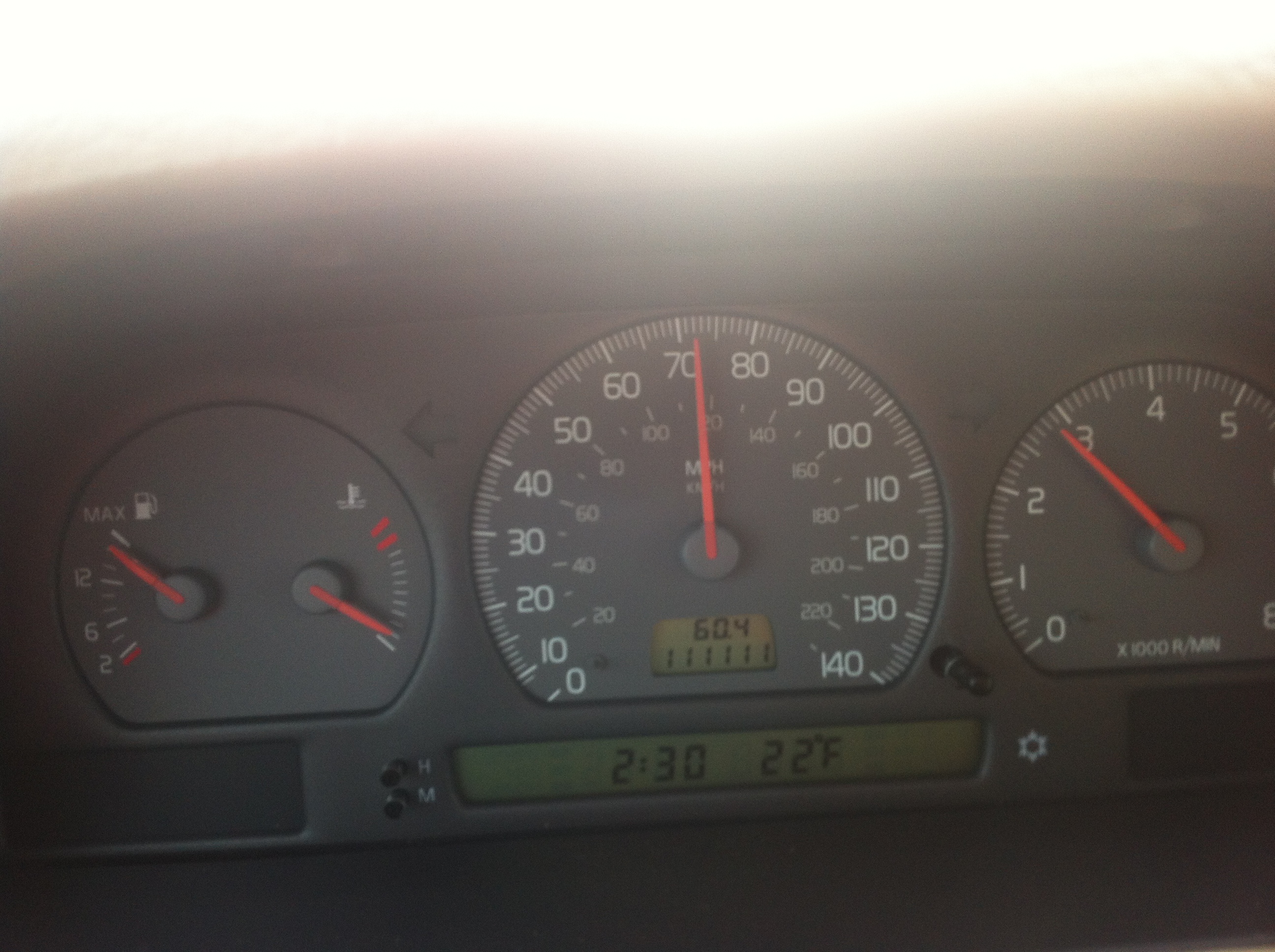
111,111 miles on 1999 Volvo V70.
Nevermind the speed, the outside temperature and most of all the engine temperature 🙂
Tags: 111111, 1999, miles, v70, Volvo
Posted by OurVolvo.com on Dec 17, 2014 in
1999 Volvo V70 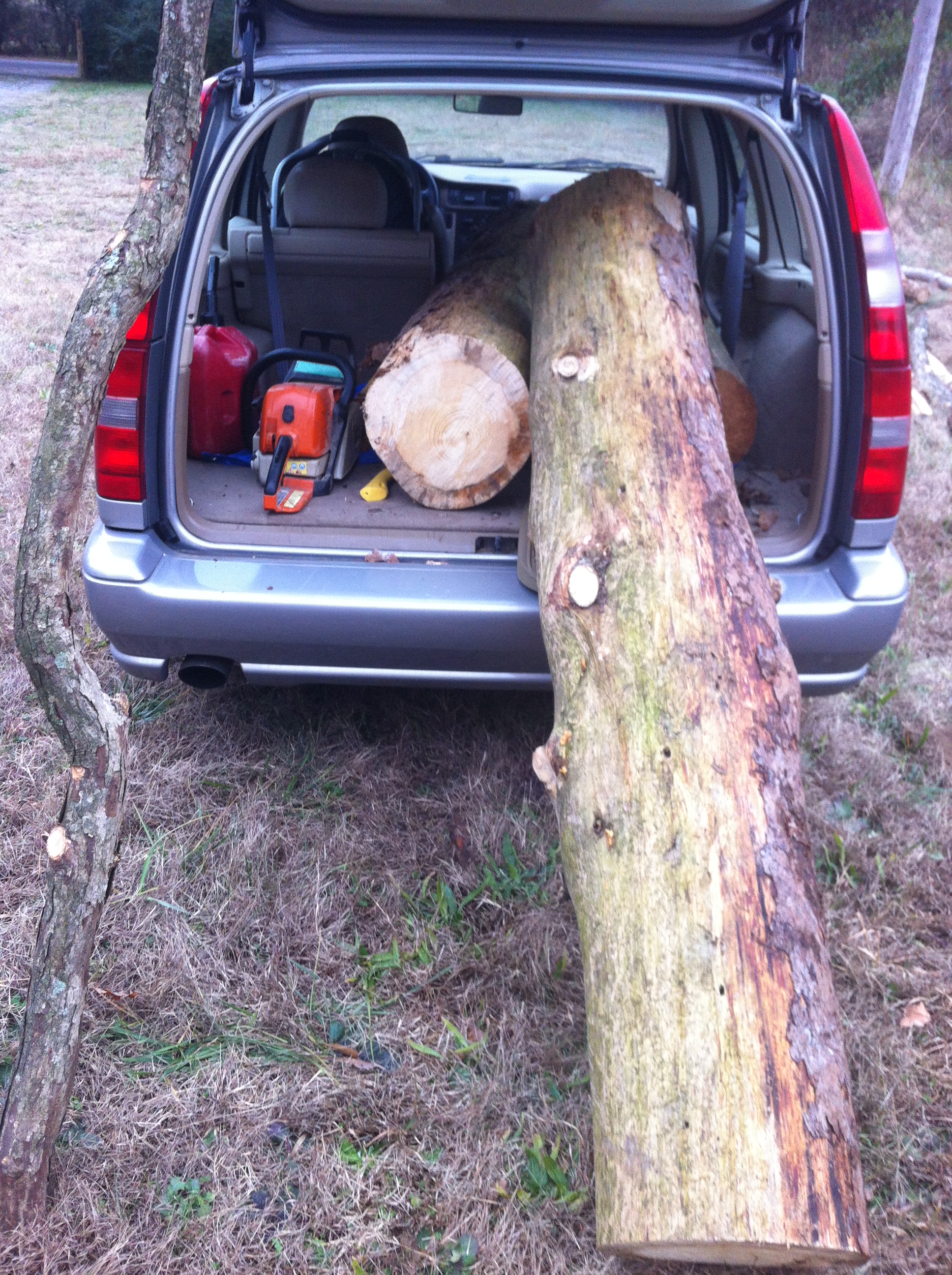
Tags: discipline, logging, man, strongest, Volvo, world
Posted by OurVolvo.com on Dec 16, 2014 in
1999 Volvo V70 
Tags: 2, man, men, truck, Volvo
Posted by OurVolvo.com on Sep 26, 2014 in
1995 Volvo 460 
Tags: 236000, 460, km, Volvo
Posted by OurVolvo.com on Feb 20, 2014 in
1982 Volvo 240 DL Tags: ethan, twin, Volvo
Posted by OurVolvo.com on Feb 11, 2013 in
Volvo 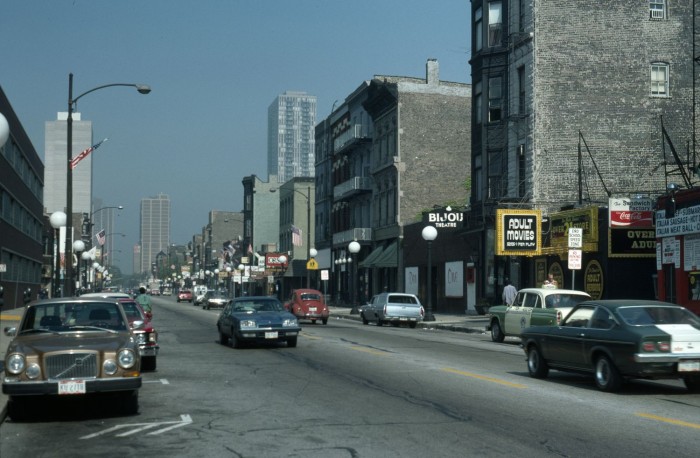
C. William Brubaker’s quest to document the architecture of Chicago took him all over the city, including some of the, er, seedier, parts, as we see from these two street scenes taken in 1976 along North Wells Street looking north, above from West Evergreen Avenue. Nowadays that section of town looks to be a little bit cleaned up, but Brubaker would be delighted to see that many of the buildings in these shots still stand. What do you see here? I see a VOLVO!
Tags: 1976, Chicago, Volvo
Posted by OurVolvo.com on Nov 24, 2012 in
1999 Volvo V70 This happens in the beginning of the fall. It could be quite scary. The ABS light comes on randomly and as it persists the speedometer goes dead at zero while doing 60-80mph. As it persists the Volvo goes into safe mode (not passing third gear), looses power and eventually check engine light comes on. Possible codes P1057, P0600, P1081, P0722, P1054 and as usual most of them are only detected by the special Volvo code readers.
The problem is in the ABS module touching somewhere due to vibration and returning short signal. You can replace the whole ABS module which will cost several hundred dollars or use this easy fix described by Enes. I used a folded Wal-Mart card that is still doing the trick for our Volvo V70.
Having a problem with Abs and Traction control is not a rarity on a V70/S70 Volvo. It is a common and expensive problem caused mostly by the Abs Module. The right way to fix this is to get a new one put in. It does not come cheap though, it’s over $400 for a new one and $200 to rebuild

Is there a way to go around it? Yes, there is(sometimes). I tried this”unorthodox repair” on a 1998 V70 and it worked. Actually it’s still working 13 months later. It’s cheap and it required 15min of my time. Abs Module is located on the left side of engine compartment under the fuse box. Good news is…you don’t have to remove it at all.

The whole idea consist on putting some space between Abs pump and the Module. It can be done with almost everything: wood, cardboard, plastic. In my case I used a scrap piece of plastic.

Take the spacer and push it between the pump and the module. Make sure it stays tight and won’t fall while driving.
There we go..no Abs and Tracks light anymore and it’s working fine.

I tried this method on 3 different Volvo’s with the same problem and it worked fine on 2 of them. No guaranties though but you lose nothing by trying it anyway.
Now, don’t forget to clear your check engine light if it is still ON!
Tags: abs, check, dead, Engine, light, loosing, mode, power, safe, speedometer, v70, Volvo
Posted by OurVolvo.com on Nov 20, 2012 in
1999 Volvo V70 First of all, special thanks to DanDan the VolvoMan who we were able to find 3rd row V70 seats through his eBay store. Via his website http://www.resultsautoparts.com, Dan is running a family business which started back in 1972. If you need a Volvo part (or any other car) DanDantheVolvoMan is your man for the job.
Now, there is a YouTube 10-part video series done by a great Polish mechanic, but is quite hard to follow it while installing the seats. You can watch the videos for a reference if you’d like, but this work sheet may be much easier to follow while working.

A. First off, start with the back area:
(1) Remove the spare tire cover. You may later need to remove the spare tire and its plastic nest, so do it now while you are at it.
(2) Remove the two side covers by popping them off with the help of a big screw driver.
(3) Unscrew the two brackets (two screws each) supporting the rear hard cover.
(4) Slide out toward you the rear hard cover. Don’t try to lift it or pop it up. It is fixed by 2-3 brackets and easily slides out.
B. Now move to the rear seat area:
(1) Remove the rear seat arm rest covers. They easily pop out as you pull them out.
(2) Remove the two vents. They pop and slide out. The are not broken but factory precut so you can put the seat belt in them. Be careful that if you pry on them when cold they could break.
(3) Remove part of the door seal gasket to uncover the plastic side cover where the door closes.
(4) Then remove the plastic rectangle on the top where your seat belt will be attached and then the ceiling side plastic cover.
C. You are ready to install the seat belts:
(1) Start by unfolding some of the seat belt giving it enough slack so you can install it. If it is locked, you have to hold it straight and gently pull. It may take several pulls till you get hang of it.
(2) Fit the belt mechanism correctly on the frame and fix the bolt.
(3) Extend the belt to the ceiling and do the same with the belt hanger.
(4) You can now safely put back in place all plastic covers, the door seals and the rear seat arm rests.
D. Seat belt floor locks
(1) Fit the large T-shape metal frame in the provided hole to your left which is fixed with two bolts to the frame (one on your right side and on the bottom of the mechanism).
(2) You will need to mount the two brackets, which you removed in the beginning, to the back side of the backrest with the provided 3 small screws for each of them.
(3) You are now ready to slide the backrest piece into place.
(4) Once it is in position, raise it and mount the two lower brackets to the car frame. They may need to be pressed firmly and bent a little to fit just right over the two holes.


E. Last but not least:
(1) The small plastic lock may take most of your time, but it is important to tweak it just right so your 3rd row Volvo seat may securely lock when raised.
(2) You will need to cut just right through the vinyl seat cover after finding the small opening on your back right side of the seat just bellow the head rests.
(3) You will need two small ears on the bottom of your cut for the piece to fit just right.
(4) Once finished with the cutting, install the plastic piece starting by pressing first on the top and then on the bottom until it fits just right. Once in, slide it upward to snug and lock. If it does not lock your 3rd row seat will not be secure.
(5) Try if it works by raising your 3rd row seat. If installed properly, the lock sticks should lock securely and then easily release when the latch is pressed. If you run into the problem where the latch will not release properly you may need to cut a bigger hole.

F. You may also want to change the seat carpet covers if they are worn out.
(1) The one with the seat is attached with metal brackets to the hard cover and easily pops out when pulled firmly and then you have but a few screws to deal with while transferring the seats.
(2) The back rest, however, will need some modifications as the two head rests have to be attached to it, but only after you have cut through the wood in order to install the locking mechanism. Without it, your 3rd row seat will have nowhere to lock in order to stay in the sitting position.
Tags: 1999, 3rd, installing, row, seats, v70, Volvo
Posted by OurVolvo.com on Aug 20, 2012 in
1999 Volvo V70 How To Change The Ignition Switch on a Volvo 850
By NYC-Volvo
SOURCE: http://www.matthewsvolvosite.com/forums/viewtopic.php?f=1&t=37398
I just changed the ignition switch in my 1996 850 R, and I’d like to share the process with you. I’ve taken photos to make it easier for you to follow along. I rate this job as easy. I am not a mechanic, but I am handy. This repair took me 18 minutes from start to finish. So that 18 minutes includes the time it took me to gather my tools, go outside to the car, do the repair, take photos, clean everything up, and put my tools away. 18 minutes… it was much quicker that I expected.
Tools you will need
· Slotted screwdriver
· #25 Torx driver (the shank must be at least 3.75”)
Prepare your work area
· Move the seat back
· Adjust the steering column all the way out and down
· Make sure the engine is not running and the key is in the off position
Instructions
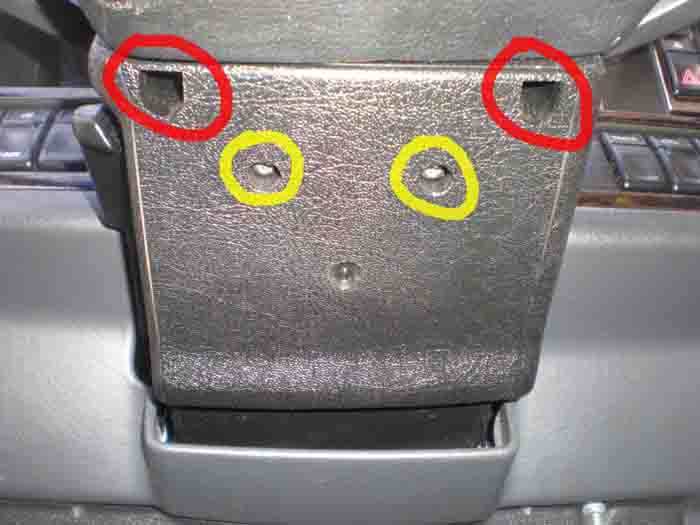
The following photo shows the underside of the steering column…
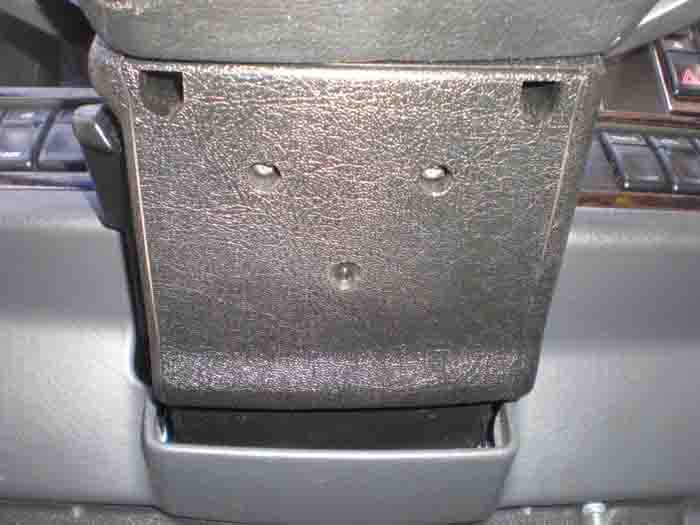
There are four #25 torx screws that hold both the lower and the upper cover to the steering column. You cannot see the upper cover in this photo, all four screws are accessed via the lower cover. The red circles show where the screws are for the removal of the upper cover. The yellow circles show the screws that hold the lower cover. Please take note that the screws for the upper cover are recessed, and you will need a #25 torx driver with a minimum of 3.75 inches of shank to reach in.
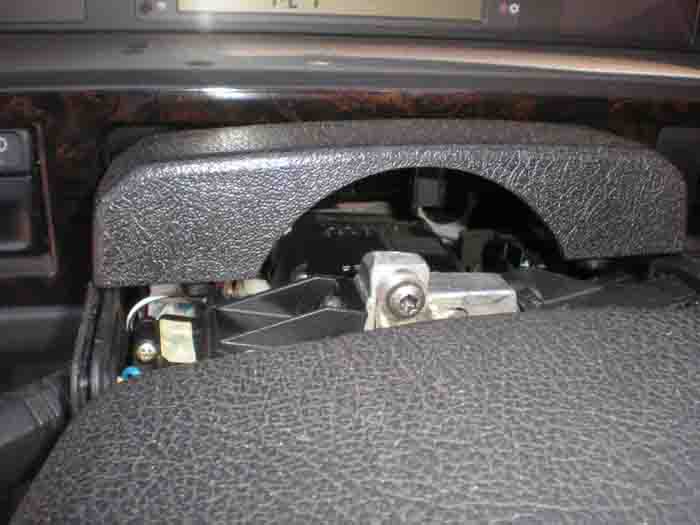
First remove the two screws holding the upper cover, and lift the upper cover up to remove it…
Remove the two screws holding the lower cover. To remove the lower cover, you will need to lift it over the ignition key area as you pull the cover down. Once you have the lower cover off, you will have the necessary access needed for this job…
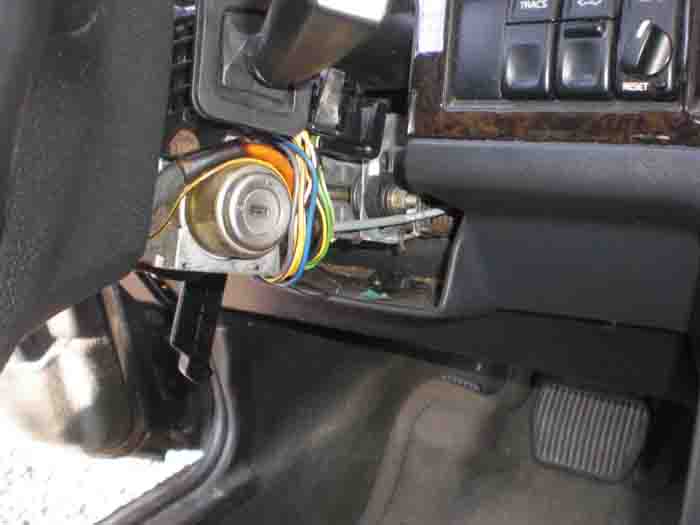
You are now ready to change the ignition switch…
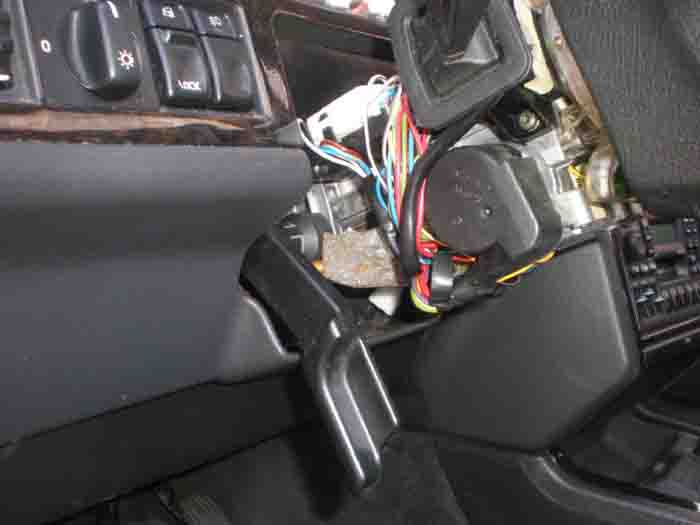
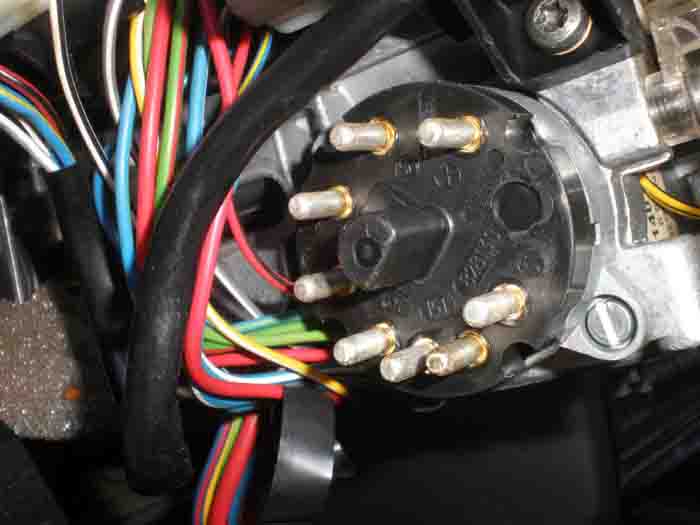
Next, remove the wiring conncetor from the ignition switch. I have circled the wiring connector in red…
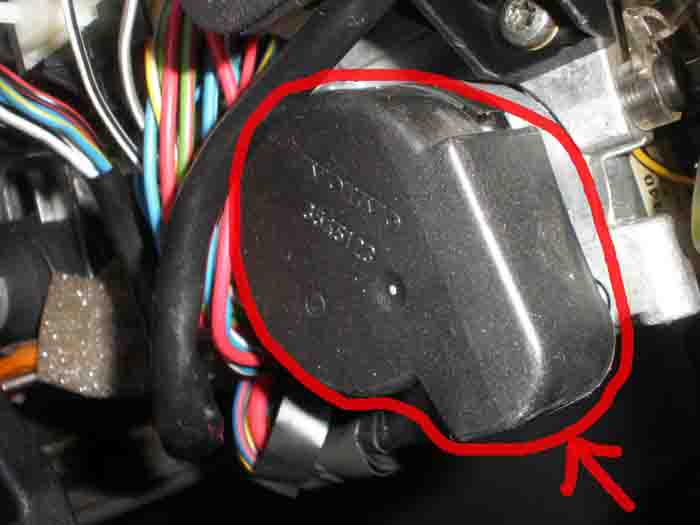
Hold the connector firmly and pull it out with a light rocking motion. Be careful not to damage the connector…
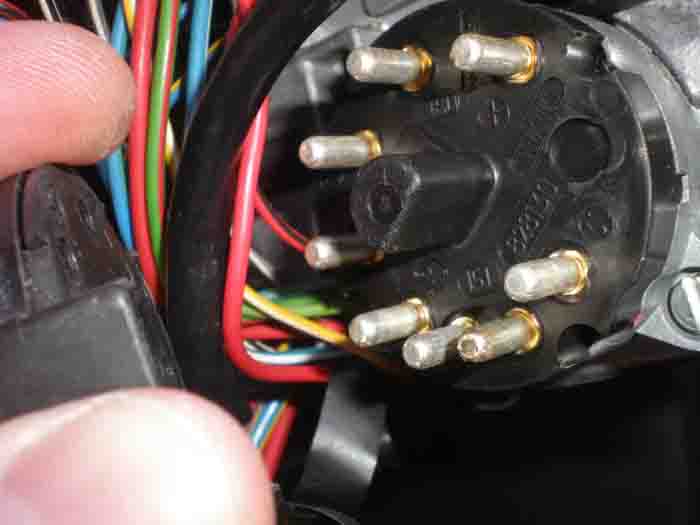
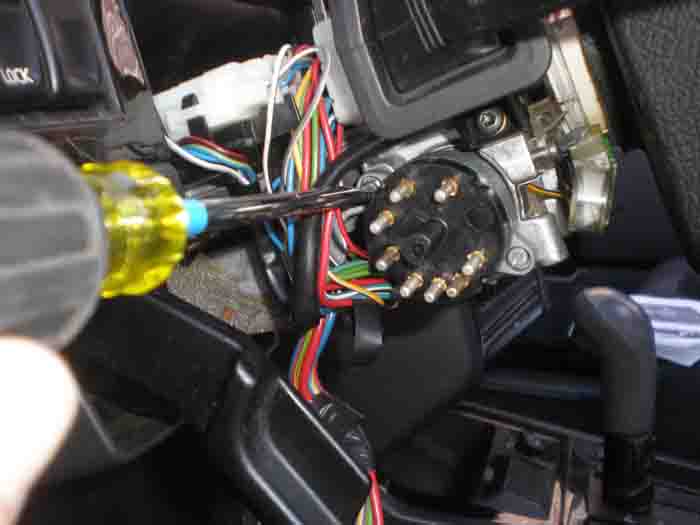
Next, using a slotted screwdriver, remove each of the two screws holding the switch in place…
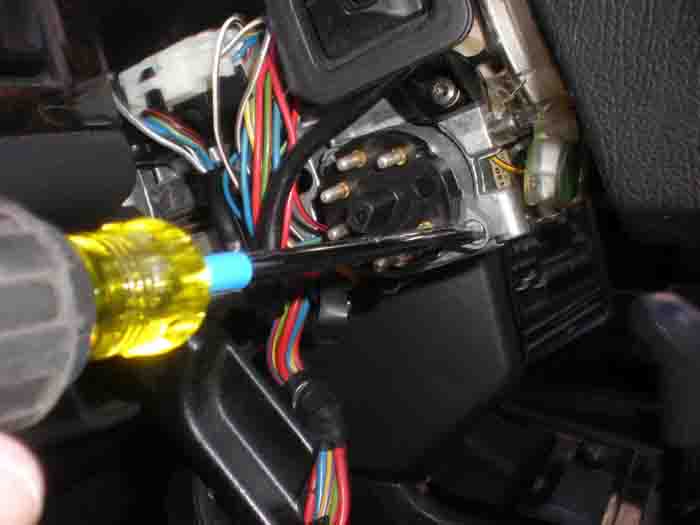
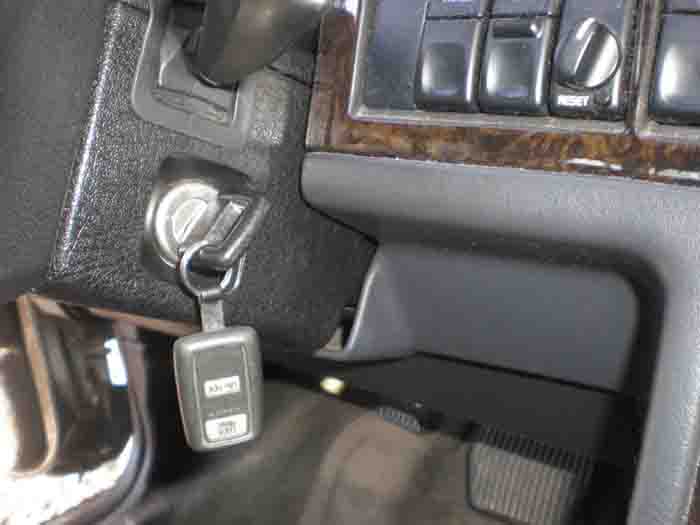
You are now ready to install the new switch. You need to ensure that the switch lines up with the position of the key. To do this, put the ignition key in the keyhole, put the new ignition switch in place and hold it witih one hand (do not screw it in yet), turn the key with the other hand until the key and the switch line up. You will know when it is lined up becuase the new switch will be seated firmly in place. Once everything is lined up, continue to hold the new switch in place, and remove the key from the ignition…
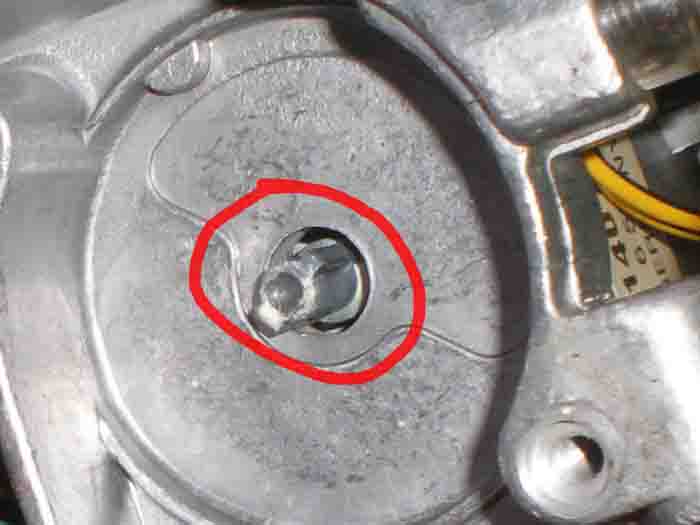
Secure the ignition switch with the two screws…
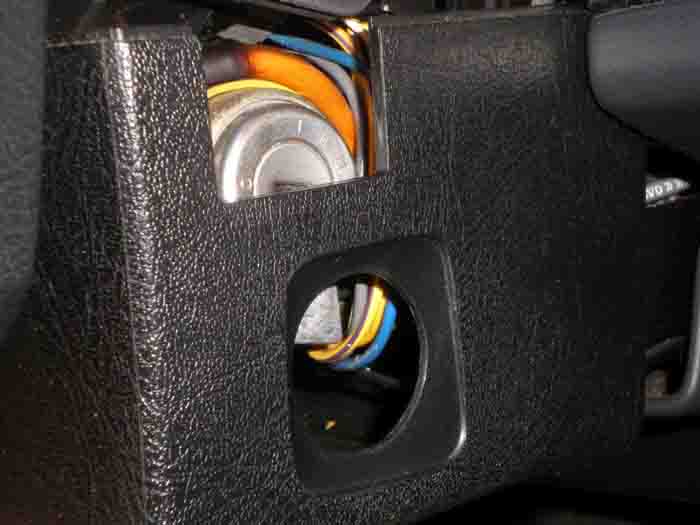
Reinstall the lower steering column cover. Be careful to get it into place over the ignition, and be sure to line up the rubber from the directional stalk and the wiper stalk. Fasten with two torx screws…
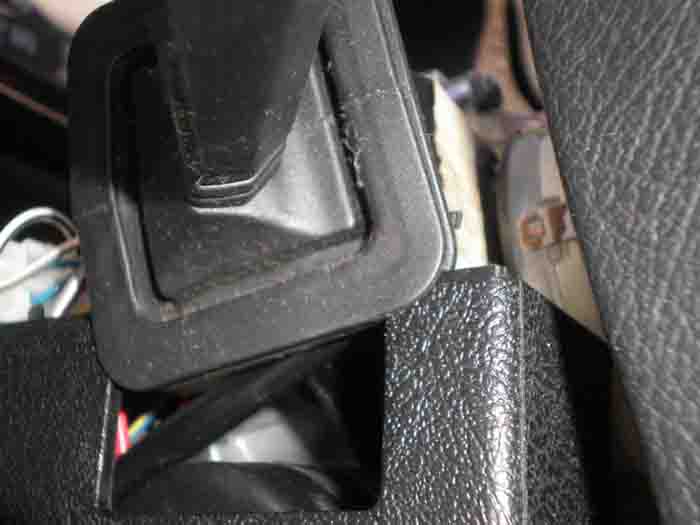
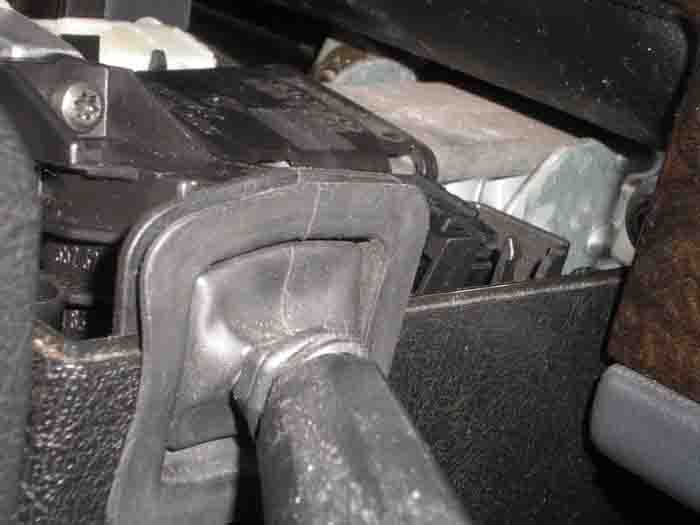
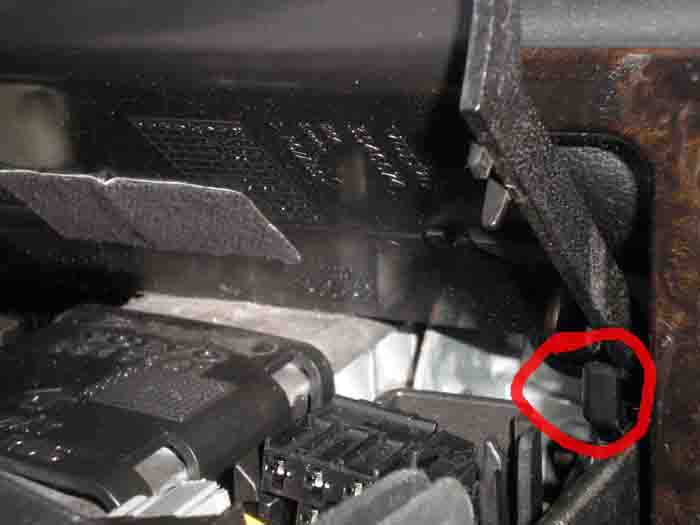
Reinstall the upper steering colum cover. Be sure to slide the rear of the cover in first and make sure it “hinges” (see below) so it will seat properly. Install the two screws to secure it in place…
Tags: 850, ignition, replacement, switch, Volvo
